Appearance
Release 0.4 beta
This is the first client release of Cenova October 2025.
Introduction and Overview
Thank you for installing the latest version of Cenova, our data management and project monitoring suite. The 0.4-beta release marks a significant step forward in our mission to streamline project oversight and enhance operational transparency.
Since its initial rollout, Cenova has been adopted across multiple teams to support efficient crawling, duplication detection, and application tracking.
We encourage you to explore the new capabilities and continue sharing your feedback via our support channels at support.geo@cegal.com or blueback.zendesk.com\home. Your input helps shape the future of Cenova.
Cenova Licensing
Cenova is licensed using a customer-specific license key, ensuring secure and controlled access to the platform. This key activates the product for authorized organizations and enables employees to access the Cenova web portal within their company environment. The licensing model is designed to be:
- Simple and secure: License keys are generated per site, with all data and access remaining inside the company network, no external connections required.
- Flexible: The current license model utilizes license keys. these can be generated and regenerated in minutes with no dependency on license servers.
- Modular: Licensing is structured around core capabilities and optional modules (e.g., Storage Optimization, Project Governance), allowing customers to tailor their deployment to specific needs.
New Features
Crawler
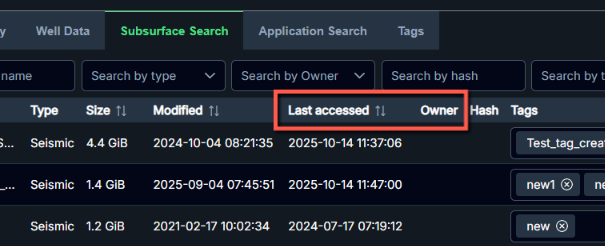
Capture Extra Data
The Crawler captures a range of metadata including:
- Name
- Size
- Path
- Last modified date
- Last access date
- File owner
- Extension
The additional options for follow mount point and capturing additional timestamps are enabled by default.
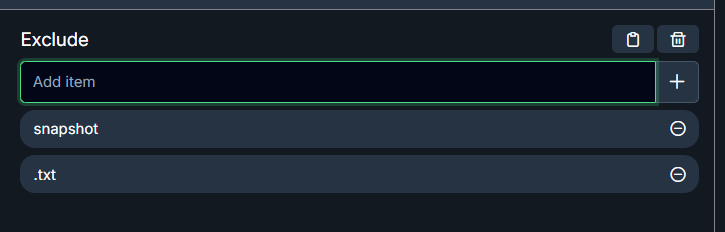
Exclude Files
Users can define patterns to exclude specific files or directories from scans. During a scan, any paths matching the exclusion patterns will be skipped automatically.
Resume Crawling
The crawler supports resuming operations from last known location during the duplication phase or after an unexpected crash, reducing the need to restart scans from the beginning.
Summary Views
Users can access a comprehensive summary of all data across crawled paths.
Dedicated dashboards for application data, seismic data, and well data are available for detailed insights.
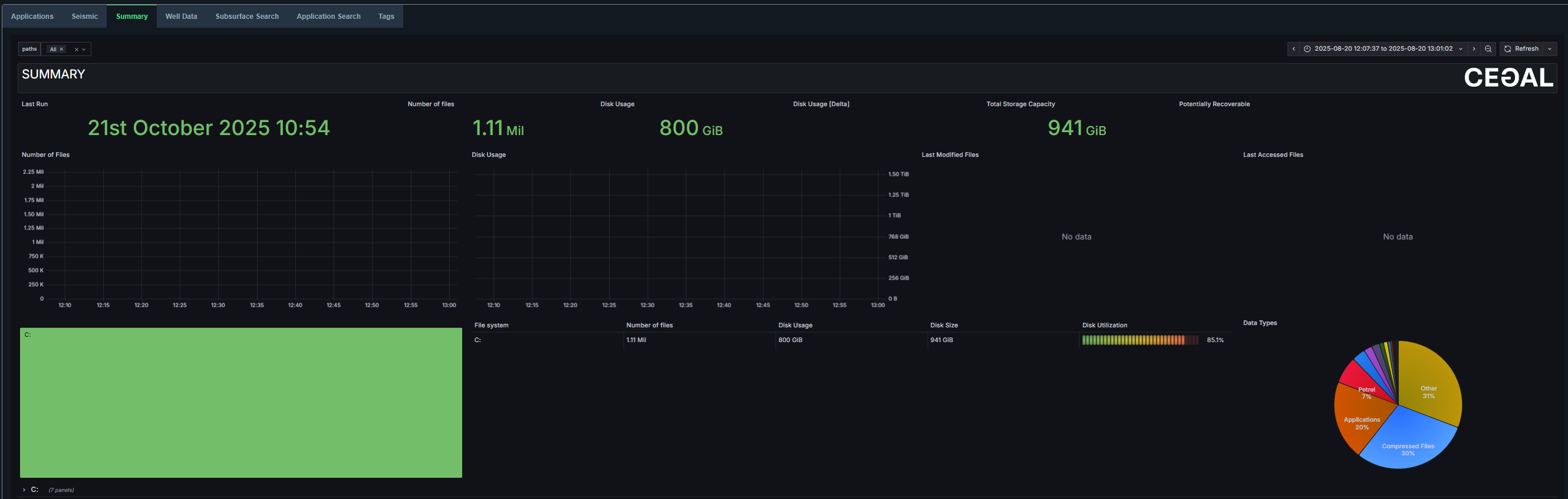
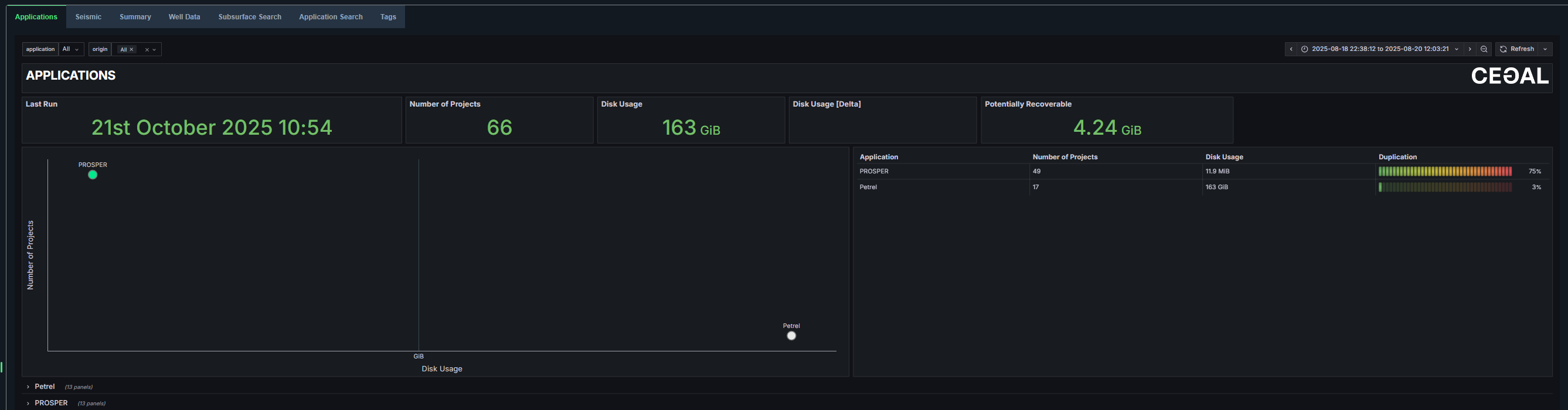
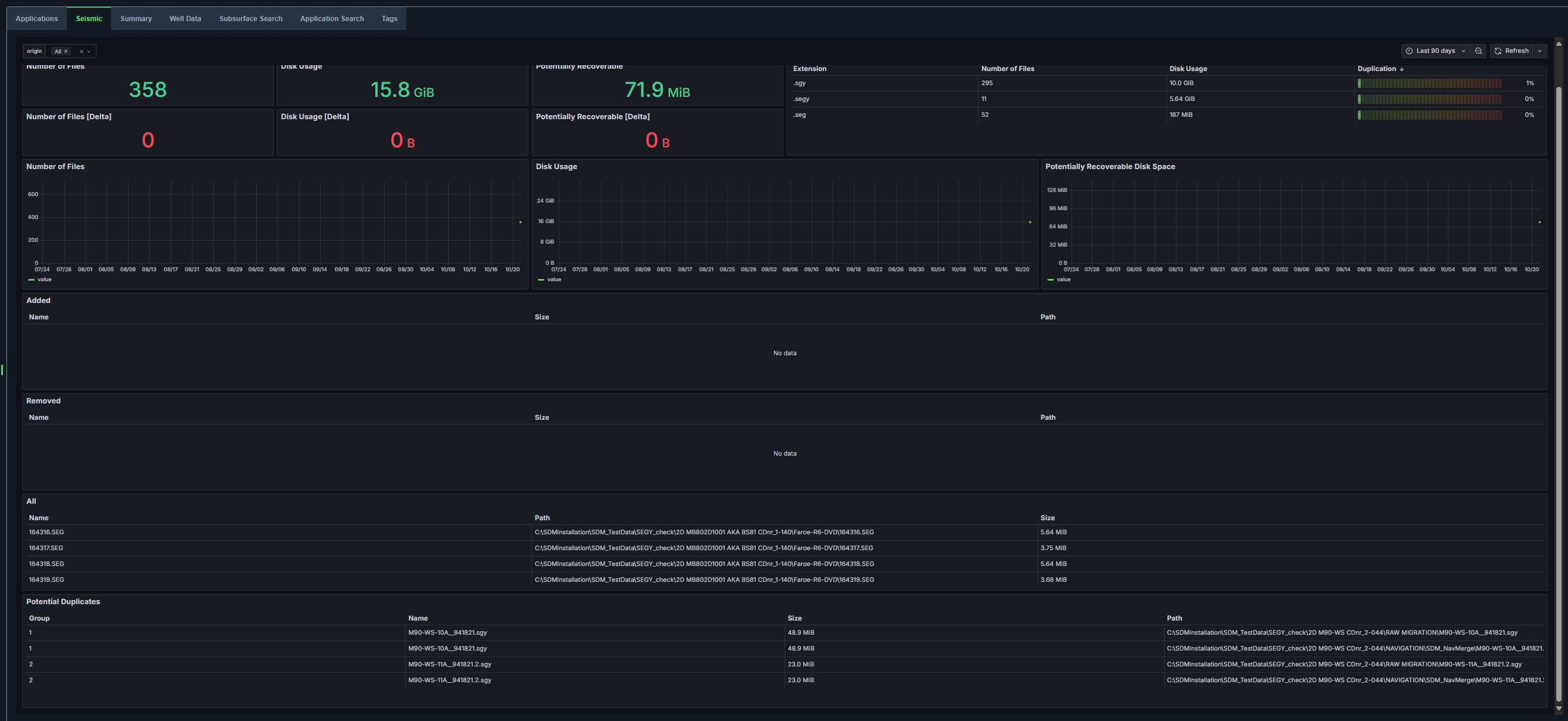
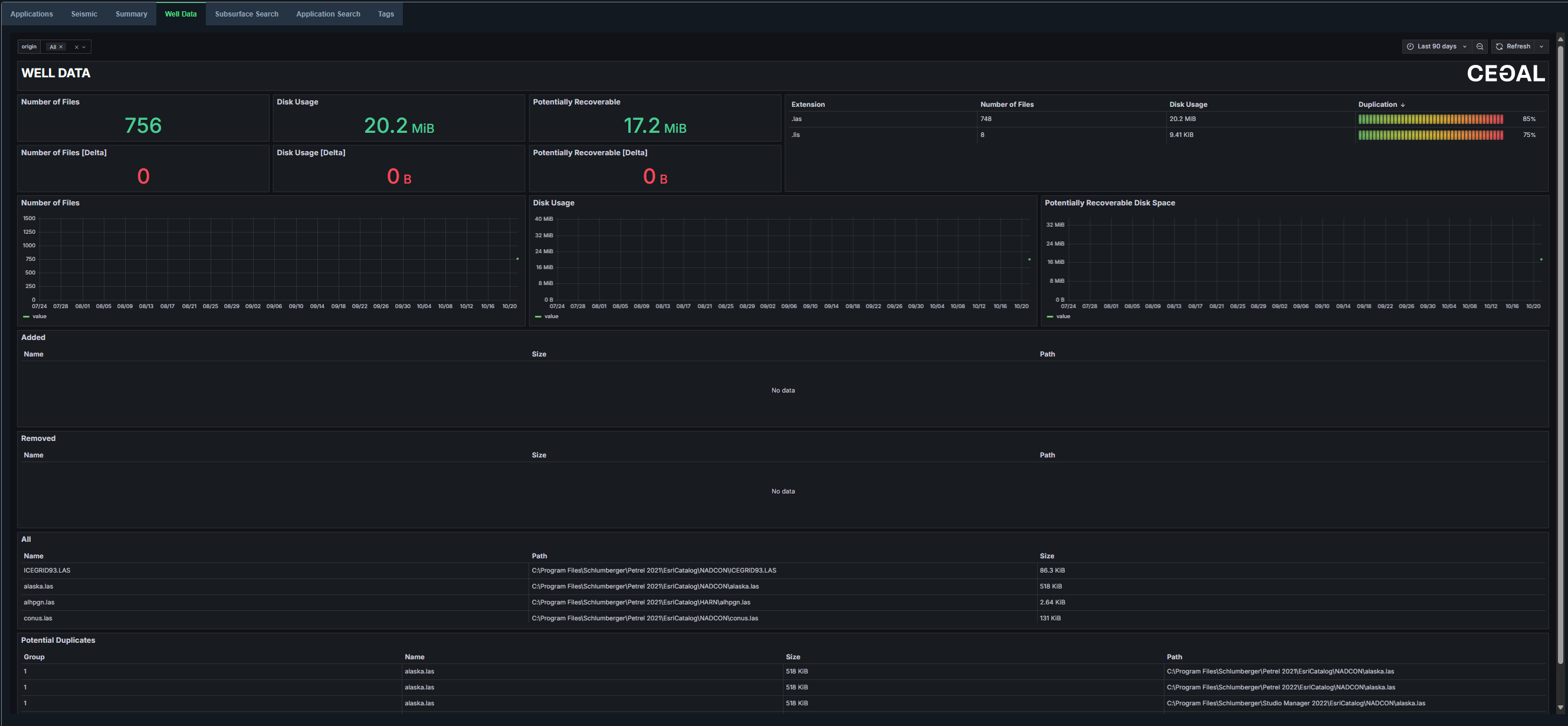
Both application and subsurface data can also be viewed in table format for easier analysis and comparison.


Search Functions
Users can search across application data, seismic data, and well data.
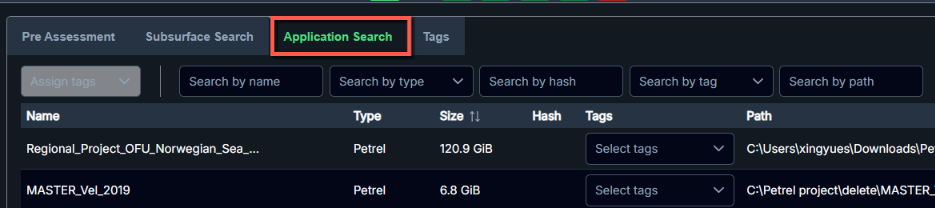
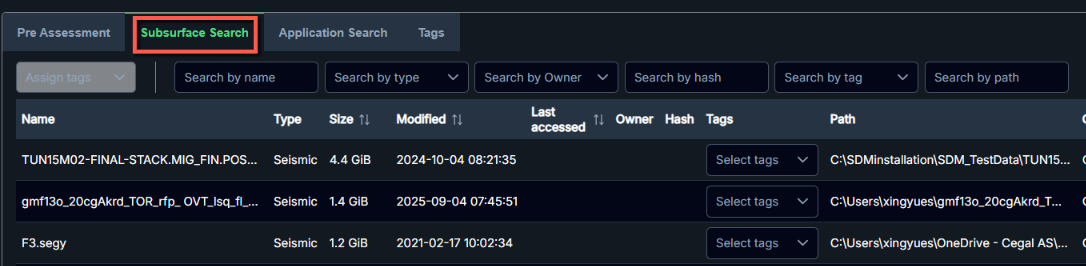
The enhanced search functionality supports full path searches and displays the total number of results returned for greater visibility and precision.
Tag Functions
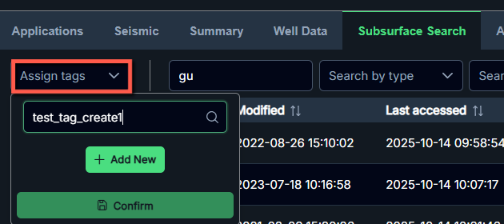
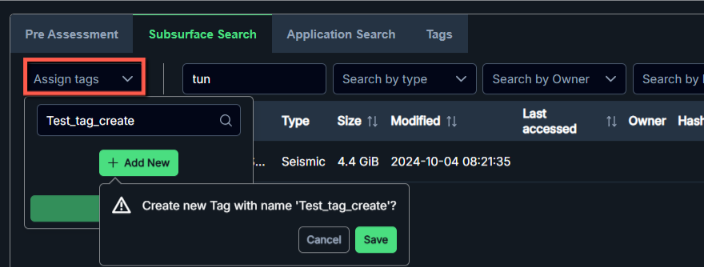
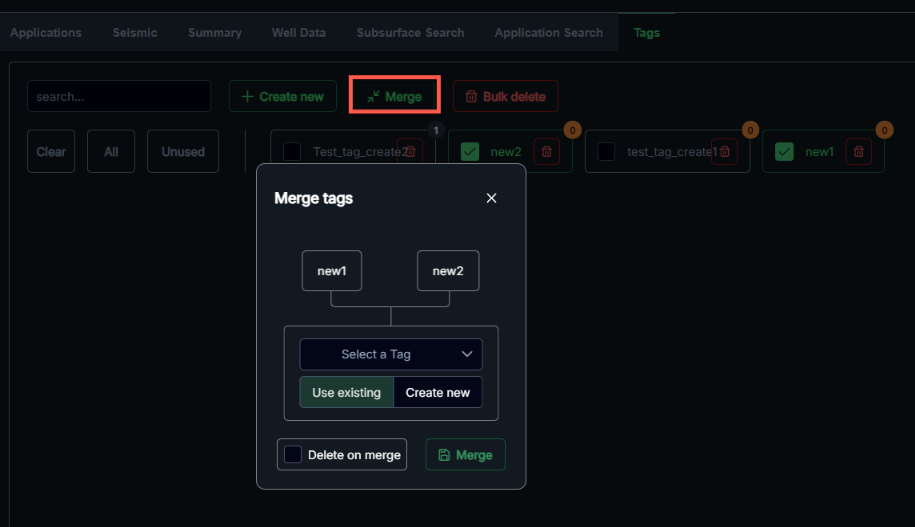
Users can now create, delete, edit, and merge tags on selected data items for improved data organization. All tags are searchable and viewable in the Tags view, providing better visibility and control over tagging operations.